One fast, native desktop app for SQL and NoSQL alike. Browse, query and edit Postgres, MySQL, SQL Server, SQLite, MongoDB, Redis and more — and extend it with plugins when you need something new.
New here? From download to your first query in about a minute →
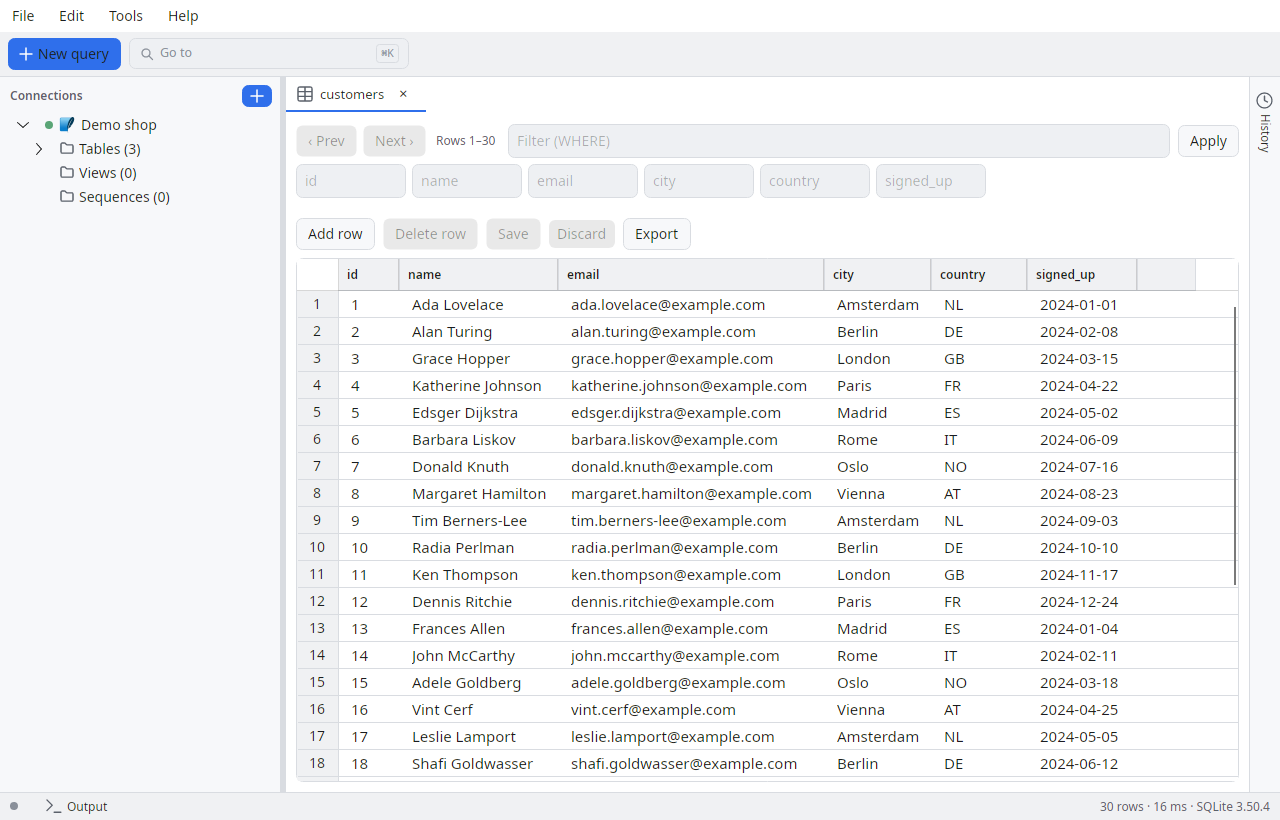
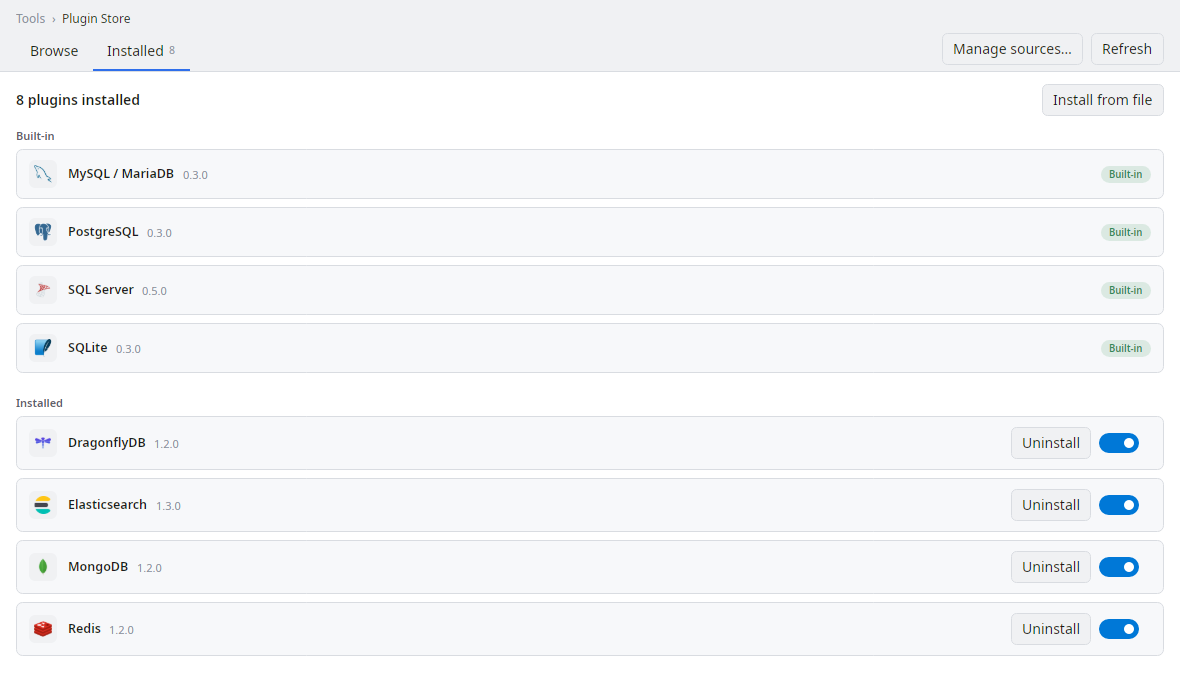
Four engines are built in; four more install on demand from the Plugin Store inside the app. Every one of them is a provider plugin.
Source-available on GitHub, with an MIT-licensed SDK so anyone can write a provider — and nothing about your data leaves your machine.
The app, the providers and the docs live in one public repository under Apache-2.0 with the Commons Clause. Clone it, build it, audit it.
Browse the repository →Providers reference only DataTray.Sdk — interfaces and DTOs, no host internals — and that contract is MIT-licensed.
Read the plugin SDK guide →Connections run straight from your machine and credentials are stored in the OS keychain. No account, no sign-in wall.
How connections work →A calm, native interface — not a browser tab pretending to be an app.
SQL and NoSQL side by side. Connect to relational engines, document stores and key-value databases from one tree.
Syntax highlighting, multiple tabs, rebindable shortcuts, and open/save of .sql files with a dirty-marker.
Edit results in place and commit changes back to the database — no round-trip through hand-written UPDATE statements.
CSV in and out, JSON and SQL export, and SQL Server BACPAC/DACPAC via the tool plugins. Move data where you need it.
Providers, tools, MCP servers, viewers and extensions load at runtime in isolation. Add an engine without touching the host.
An opt-in MCP server lets AI assistants query safely — read-only per connection, on a loopback port, with an audit log you control.
Settings ▸ Toolbar lists every action that can sit up top — drag to reorder, untick to hide. Extensions can contribute buttons too, behind a toolbar consent of their own.
Start, stop, enable and disable jobs from the tree, or open the full Properties dialog — steps, schedules, alerts and notifications, with a real SSIS step editor.
Four live graphs over five sortable grids for SQL Server, filtered to one database or just the blocking sessions. Read-only apart from Kill Process, which asks first.
Every plugin ships as a folder next to the app and loads into an isolated AssemblyLoadContext. Only the SDK and Avalonia are shared with the host — so a plugin can add a database, run a tool, bridge your data to AI, render a result set, or stand up a whole subsystem without ever destabilising the app.
{
  "schemaVersion": 1,
  "id": "mongodb",
  "type": "provider",
  "name": "MongoDB",
  "version": "1.3.0",
  "hostApiVersion": 27,
  "entryAssembly": "DataTray.Providers.MongoDb.dll"
}
The built-in Plugin Store shows what's installed and lets you add more.
No account, no telemetry wall. Download it and connect your first database.
 DataTray


